Category:Sample
A variety of application samples are delivered and installed with the product.
Opening the Samples
To open the directory of application samples that ship with the product, do either of the following:
- Go to
C:\Users\Public\Documents\Embarcadero\Studio\22.0\Samples.
- Depending on your operating system, open the Samples folder as follows:
- On Windows 7, select Start | Programs | Embarcadero RAD Studio 11 Alexandria | Samples.
- On the Windows 8 tiles screen, click the Search charm, enter "samples" in the Search field, and press Return. Then click the Samples folder in the results.
Tip for Windows 8: Even easier, just type "samples" (or simply "sam") and press Return when the Windows 8 tiles window is displayed.
(To display the tiles window, press the Windows key on the keyboard.)
Updating Your Samples
Source code for the samples is checked into a read-only Subversion repository. Find more information in GitHub Repositories.
Three Ways to Update the Samples:
- From inside the IDE, open any sample, right-click the .exe file in the Projects Window, and select Subversion | Update | From Repository Root on the context menu.
- In Windows Explorer, if you have installed the Subversion client TortoiseSVN, right-click the Samples directory and select the Update command.
- From the SourceForge repository, download a folder by right-clicking the folder name and selecting the Save target as context menu command and pointing to the installed location of the samples (given above).
Pages in category "Sample"
The following 200 pages are in this category, out of 232 total.
(previous page) (next page)D
E
F
- FireDAC.AutoincFields Sample
- FireDAC.ConnectionDefs Sample
- FireDAC.DAptLayerCommands Sample
- FireDAC.DAptLayerGettingStarted Sample
- FireDAC.DBX2FDMigration Demo Sample
- FireDAC.DLLSharing Sample
- FireDAC.Firebird Sample
- FireDAC.GetFieldNames Sample
- FireDAC.IFDPhysCommand.Async Sample
- FireDAC.IFDPhysCommand.Batch Sample
- FireDAC.IFDPhysCommand.EscapeFunctions Sample
- FireDAC.IFDPhysCommand.FetchTables Sample
- FireDAC.IFDPhysCommand.Macros Sample
- FireDAC.IFDPhysConnection.CreateConnection Sample
- FireDAC.IFDPhysConnection.Pooling Sample
- FireDAC.IFDPhysConnection.Transactions Sample
- FireDAC.InfoReport Sample
- FireDAC.InterBase AdminUtility Sample
- FireDAC.InterBase Arrays Sample
- FireDAC.InterBase Sample
- FireDAC.MappingColumns Sample
- FireDAC.MongoDB Explore Sample
- FireDAC.MongoDB.ListView Sample
- FireDAC.MoniLayerClients Sample
- FireDAC.MSAccess Sample
- FireDAC.MSSQL Sample
- FireDAC.MySQL Sample
- FireDAC.Oracle CQN Sample
- FireDAC.OraclStoredProc Sample
- FireDAC.Pooling Sample
- FireDAC.PostgreSQL Arrays Sample
- FireDAC.PostgreSQL Ranges Sample
- FireDAC.SchemaAdapterMemTable Sample
- FireDAC.SQLite Desktop Sample
- FireDAC.SQLite Encryption Sample
- FireDAC.SQLite Sample
- FireDAC.SQLiteIniFile Demo Sample
- FireDAC.TFDBatchMove Sample
- FireDAC.TFDEventAlerter Sample
- FireDAC.TFDGUIxLoginDialog Sample
- FireDAC.TFDLocalSQL InMemDB Sample
- FireDAC.TFDLocalSQL MegaFMX Sample
- FireDAC.TFDLocalSQL.xDBMS Sample
- FireDAC.TFDMemTable.CachedUpdates Sample
- FireDAC.TFDMemTable.CloneCursor Sample
- FireDAC.TFDMemTable.IncFetchingMSSQL Sample
- FireDAC.TFDMemTable.Main Sample
- FireDAC.TFDMemTable.MasterDetail Sample
- FireDAC.TFDMemTable.NestedDataSet Sample
- FireDAC.TFDQuery.Aggregates Sample
- FireDAC.TFDQuery.ArrayDML Sample
- FireDAC.TFDQuery.Async Sample
- FireDAC.TFDQuery.Batch Sample
- FireDAC.TFDQuery.BatchErrorHandling Sample
- FireDAC.TFDQuery.Blobs Sample
- FireDAC.TFDQuery.BlobStreams Sample
- FireDAC.TFDQuery.CentralizedCachedUpdates Sample
- FireDAC.TFDQuery.Filter Sample
- FireDAC.TFDQuery.Indices Sample
- FireDAC.TFDQuery.Macros Sample
- FireDAC.TFDQuery.MasterDetail Sample
- FireDAC.TFDQuery.OnUpdateRecord Sample
- FireDAC.TFDTableAdapter.Main Sample
- FireDAC.Transactions Sample
- FireDAC.VSE Demo Sample
- FMX.Accelerometer Sample
- FMX.AccessCameraApp Sample
- FMX.ActionsDemo Sample
- FMX.Address Book Sample
- FMX.Android Beacon Service Sample
- FMX.Android Download Service Sample
- FMX.Android Intents Sample
- FMX.Android Notification Service Sample
- FMX.AnimationDemo3D Sample
- FMX.AnimationDemoHD Sample
- FMX.AppAnalytics Sample
- FMX.Arrows3D Sample
- FMX.AudioRecPlay Sample
- FMX.Birthday Reminder Sample
- FMX.CameraComponent Sample
- FMX.CameraRoll Sample
- FMX.CamerasTextures3D Sample
- FMX.CapitalIAP Sample
- FMX.Controls Sample
- FMX.ControlsDemo Sample
- FMX.CopyPaste Sample
- FMX.CustomListBox Sample
- FMX.CustomPicker Sample
- FMX.DatePicker Sample
- FMX.DeviceInfo Sample
- FMX.DragAndDrop Sample
- FMX.FireDAC.MongoDB.BatchMove Sample
- FMX.FireDAC.MongoDB.DataSet Sample
- FMX.FireFlow Sample
- FMX.FirstApp3D Sample
- FMX.FlashLight Sample
- FMX.Forms Sample
- FMX.GoogleGlass Sample
- FMX.GridDemo Sample
- FMX.GridExplorer Sample
- FMX.GUI3d Sample
- FMX.Gyroscope Sample
- FMX.Heart Rate Monitor Sample
- FMX.HorizontalScroll Sample
- FMX.ImageFilters Sample
- FMX.ImageList Sample
- FMX.ImageRotation Sample
- FMX.ImageZoom Sample
- FMX.KeyboardToolbar Sample
- FMX.KeyboardTypes Sample
- FMX.ListCollections Sample
- FMX.ListViewAddThumbAndCaption Sample
- FMX.ListViewCheckList Sample
- FMX.ListViewCustomAdapter
- FMX.ListViewCustomBottomDetail Sample
- FMX.ListViewMultiDetailAppearance Sample
- FMX.ListViewRatingsAppearance Sample
- FMX.ListViewVariableHeightItems Sample
- FMX.Location Sample
- FMX.LocationDemo Sample
- FMX.LowLevel3D Sample
- FMX.Map Sample
- FMX.MediaPlayerHD Sample
- FMX.MessageAlerts Sample
- FMX.Mobile.VideoPlayback Sample
- FMX.ModelViewer Sample
- FMX.MouseOverHints Sample
- FMX.MultiViewDemo Sample
- FMX.MusicPlayer Sample
- FMX.NativeControls Sample
- FMX.OrientationSensor Sample
- FMX.PhoneDialer Sample
- FMX.PhotoEditorDemo Sample
- FMX.Planets Sample
- FMX.PlatformScrollBox Sample
- FMX.PlayAudioFile Sample
- FMX.PullToRefresh Sample
- FMX.Remote Service Demo Sample
- FMX.ScrollableForm Sample
- FMX.SearchContext Sample
- FMX.SendCancelNotification Sample
- FMX.SensorInfo Sample
- FMX.SetResetBadgeNumber Sample
- FMX.SettingsProject Sample
- FMX.ShaderFilters Sample
- FMX.ShareSheet Sample
- FMX.SimpleListView Sample
- FMX.SimplePhysics Sample
- FMX.StreamingMedia Sample
- FMX.Tabbed Map Sample
- FMX.TabletMasterDetailwithSearch Sample
- FMX.TabSlideTransition Sample
- FMX.TabSliding Sample
- FMX.TapAndHold Sample
- FMX.TimePicker Sample
- FMX.ViewPort3DTLightTexture3D Sample
- FMX.WebBrowser Sample
- FMX.Windows10NavigationPane Sample
L
R
- REST.BaaS ToDo Sample
- REST.RESTDemo Sample
- REST.SurfSpotFinder Sample (C++)
- REST.SurfSpotFinder Sample (Delphi)
- RTL.AttributesAndRTTI Sample
- RTL.BDShoppingList Sample
- RTL.BeaconDevice Sample
- RTL.BeaconProximityColors Sample
- RTL.BeaconsProximity Sample
- RTL.BLE BeaconScanner Sample
- RTL.BLEScanner Sample
- RTL.BoostArchiveDemo Sample
- RTL.ClassicBluetooth Sample
- RTL.ComplexNumbers Sample
- RTL.ConwaysLifeFMX Sample
- RTL.ConwaysLifeVCL Sample
Media in category "Sample"
The following 5 files are in this category, out of 5 total.
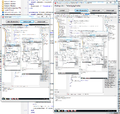 DesktopCast.png 996 × 949; 508 KB
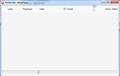 MediaPlayer.png 681 × 430; 17 KB
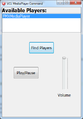 MediaPlayerRemoteControl.png 345 × 495; 18 KB
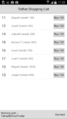 TetherDBClient.png 1,080 × 1,920; 68 KB
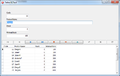 TetherDBServer.png 727 × 460; 25 KB


