C++Builder Developer's Guide
Go Up to Windows Developer's Guide
The C++Builder Developer's Guide contains information for both Delphi and C++.
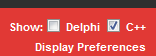
Tip: To select the language you want to see, click the Display Preferences control, located in the upper right corner of the page.
- To see C++ information only, enable the C++ checkbox and disable the Delphi checkbox, as shown here:
Part I: Programming with C++Builder
Developing Applications with C++Builder
- Integrated Development Environment
- Designing Applications
- Creating Projects
- Editing Code
- Compiling Applications
- Debugging Applications
- Deploying Applications
Understanding the Component Library
Working with Components Index
- Setting Properties and Events
- Calling Methods
- Working with Events and Event Handlers
- Adding Custom Components to the Tool Palette
Working with Controls Index
- Implementing Drag and Drop in Controls
- Implementing Drag and Dock in Controls
- Working with Text in Controls
- Adding Graphics to Controls
- Screen Scaling and ChangeScale
- Double-buffering and Remote Connections
Building Applications, Components, and Libraries Index
- Creating Applications
- Creating Packages and DLLs
- Writing Database Applications
- Creating Web Server Applications
- Writing Applications Using COM
- Using Data Modules
- Using the Object Repository
- Enabling Help in Applications
Developing the Application User Interface Index
- Developing the Application User Interface - Overview
- Controlling Application Behavior
- Using the Main Form
- Using Forms
- Reusing Components and Groups of Components
- Creating and Using Component Templates
- Working with Frames
- Developing Dialog Boxes
- Creating and Managing Menus
- Designing Toolbars and Cool Bars
- Common Controls and XP Themes
Types of Controls Index
- Text Controls
- Specialized Input Controls
- Buttons and Similar Controls
- List Controls
- Grouping Controls
- Display Controls
- Grids
- Value List Editors
- Graphic Controls
Working with Graphics and Multimedia Index
- Working with Graphics and Multimedia - Overview
- Overview of Graphics Programming
- Refreshing the Screen
- Types of Graphic Objects
- Common Properties and Methods of Canvas
- Using the Properties of the Canvas Object
- Using Canvas Methods to Draw Graphic Objects
- Handling Multiple Drawing Objects in Your Application
- Drawing On a Graphic
- Loading and Saving Graphics Files
- Using the Clipboard with Graphics
- Rubber Banding Example
- Working with Multimedia
Writing Multithreaded Applications Index
- Writing Multi-threaded Applications
- Defining thread objects
- Coordinating threads
- Executing thread objects
- Debugging Multi-threaded Applications
Exception Handling in C++Builder
- Standard C++ Exception Handling
- Structured Exceptions Under Win32 (C++)
- Delphi Exception Handling in C++
- C++Builder Exception Handling Compiler Options
- External Exception EEFFACE
Working with Packages and Components Index
- Working with Packages and Components - Overview
- Why Use Packages
- Runtime Packages
- Design-time Packages
- Creating and Editing Packages
- Deploying Packages
- Packaging Components Or Libraries Written In Classic and Clang C++ Win32 Compilers
- Packages for C++ New Toolchain
Creating International Applications Index
- Internationalization and Localization
- Deploying Localized Applications
Deploying RAD Studio Applications
- Deploying Applications - Overview
- Deploying General Applications
- Deploying Database Applications
- Deploying Web Applications
- Programming for Varying Host Environments
- Software License Requirements
Part II: Developing Database Applications
Designing Database Applications - Overview
Using Data Controls
- Using Common Data Control Features
- Choosing How to Organize the Data
- Displaying a Single Record
- Displaying Data as Labels
- Displaying and Editing Fields in an Edit Box
- Displaying and Editing Text in a Memo Control
- Displaying and Editing Text in a Rich Edit Memo Control
- Displaying and Editing Graphics Fields in an Image Control
- Displaying and Editing Data in List and Combo Boxes
- Displaying and Editing Data in Lookup List and Combo Boxes
- Viewing and Editing Data with TDBGrid
- Creating a Grid That Contains Other Data-aware Controls
- Navigating and Manipulating Records
Connecting to Databases Index
- Connecting to Databases - Overview
- Using Implicit Connections
- Controlling Connections
- Controlling Server Login
- Managing Transactions
- Sending Commands to the Server
- Working with Associated Datasets
- Obtaining Metadata
Understanding Datasets Index
- Understanding Datasets - Overview
- Using TDataSet Descendants
- Determining Dataset States
- Opening and Closing Datasets
- Navigating Datasets
- Searching Datasets
- Displaying and Editing a Subset of Data Using Filters
- Modifying Data
- Calculating Fields
- Types of Datasets
- Using Table Type Datasets
- Using Query-type Datasets
- Using Stored Procedure-type Datasets
- Executing Stored Procedures That Don't Return a Result Set
Working with Field Components Index
- Working with Field Components - Overview
- Dynamic Field Components
- Persistent Field Components
- Creating Persistent Fields
- Arranging Persistent Fields
- Defining New Persistent Fields
- Deleting Persistent Field Components
- Setting Persistent Field Properties and Events
- Setting Display and Edit Properties at Design Time
- Setting Field Component Properties at Runtime
- Creating Attribute Sets for Field Components
- Associating Attribute Sets with Field Components
- Removing Attribute Associations
- Controlling and Masking User Input
- Using Default Formatting for Numeric, Date, and Time Fields
- Handling Events
- Working with Field Component Methods at Runtime
- Displaying, Converting, and Accessing Field Values
- Setting a Default Value for a Field
- Working with Constraints
- Using Object Fields
Using BDE Index
- BDE-based Architecture
- Using BDE
- Executing an Update Statement
- Using Multiple Update Objects
- Connecting to databases with TDatabase
- Managing database sessions
- Using BDE-enabled datasets
- Using TBatchMove
- Using the BDE to cache updates
- Using transactions with the BDE=== Working with ADO Components Index===
- Working with ADO Components
- Overview of ADO Components
- Connecting to ADO Data Stores
- Using ADO datasets
- Using Command Objects
- Using dbExpress Datasets
- Types of dbExpress Datasets
- Connecting to a Database Server Using dbExpress
- Specifying What Data to Display
- Fetching the Data
- Executing Commands That Do Not Return Records
- Setting Up Master-Detail Linked Relationships
- Accessing dbExpress Schema Information
- Debugging dbExpress Applications
Using Client Datasets Index
- Using Client Datasets - Overview
- Working with Data Using a Client Dataset
- Using a Client Dataset to Cache Updates
- Using a Client Dataset with a Provider
- Using a Client Dataset with File-based Data
- Using a Simple Dataset
Using Provider Components Index
- Using Provider Components
- Determining the Source of Data
- Communicating with the Client Dataset
- Choosing How to Apply Updates Using a Dataset Provider
- Controlling What Information Is Included in Data Packets
- Responding to Client Data Requests
- Responding to Client Update Requests
- Responding to Client-generated Events
- Handling Server Constraints
Creating Multi-Tiered Applications Index
- Creating Multi-tiered Applications - Overview
- Advantages of the Multi-tiered Database Model
- Understanding Multi-tiered Database Applications
- Building a Multi-tiered Application
- Creating the Server Application
- Filtering the DataSnap Communication Stream
- Setting Up the Data Module
- Using Multiple Server Data Modules (COM)
- Extending the Interface of the Application Server (COM)
- Managing Transactions in Multi-tiered Applications (COM)
- Supporting Master/detail Relationships
- Supporting State Information in Exposed Data Modules
- Registering the Application Server
- Creating the Client Application
- Writing Web-based Client Applications
Using XML in Database Applications Index
- Using XML in Database Applications
- Defining Transformations
- Converting XML Documents into Data Packets
- Using an XML Document as the Source for a Provider
- Using an XML Document as the Client of a Provider
Part III: Writing Internet Applications
Creating Internet Server Applications Index
- Creating Internet Applications - Overview
- About Web Broker
- Terminology and standards
- HTTP server activity
- Types of Web Server Applications
- Debugging server applications
Using Web Broker Index
- Using Web Broker
- Creating Web Server Applications with Web Broker
- The Structure of a Web Broker Application
- The Web Dispatcher
- Action Items
- Accessing Client Request Information
- Creating HTTP Response Messages
- Generating the Content of Response Messages
- Using Database Information in Responses
Working with XML documents
- Working with XML Documents
- Using the Document Object Model
- Working with XML Components
- Abstracting XML Documents with the Data Binding Wizard
Using Web Services Index
- Using Web Services
- Understanding Invokable Interfaces
- Writing Servers that Support Web Services
- Writing Clients for Web Services
Working with Sockets
- Working with Sockets
- Installing Socket Components
- Implementing Services Overview
- Types of Socket Connections
- Describing Sockets
- Using Socket Components - Overview
- Responding to Socket Events
- Reading and Writing Over Socket Connections - Overview
Part IV: Developing COM-based Applications Index
Overview of COM Technologies
Working with Type Libraries
- Working with Type Libraries - Overview
- Type Library Editor
- Using the Type Library Editor
- Valid Types
- Using Delphi or RIDL Syntax
- Creating a New Type Library
- Opening an Existing Type Library
- Adding an Interface to the Type Library
- Modifying an Interface Using the Type Library
- Adding Properties and Methods to the Type Library
- Adding a CoClass to the Type Library
- Adding an Interface to a CoClass
- Adding an Enumeration to the Type Library
- Adding an Alias to the Type Library
- Adding a Record or Union to the Type Library
- Adding a Module to the Type Library
- Saving and Registering Type Library Information
- Apply Updates Dialog
- Saving a Type Library
- Refreshing the Type Library
- Registering the Type Library
- Deploying Type Libraries
Creating COM Clients
- Creating COM Clients
- Importing Type Library Information
- Controlling an Imported Object
- Creating Clients for Servers That Do Not Have a Type Library
Creating Simple COM Servers
- Creating Simple COM Servers - Overview
- Designing a COM Object
- Using the COM Object Wizard
- Using the Automation Object Wizard
- Defining a COM Object's Interface
- Automation Interfaces
- Marshaling Data
- Registering a COM Object
- Testing and Debugging the Application
Creating an Active Server Page
- Creating an Active Server Object
- Creating Active Server Pages - Overview
- Registering an Active Server Object
- Testing and Debugging the Active Server Page Application
Using ActiveX Controls
- Creating an ActiveX Control
- Elements of an ActiveX Control
- Designing an ActiveX Control
- Generating an ActiveX Control from a VCL Control
- Generating an Active Form Based on a VCL Form
- Licensing ActiveX Controls
- Customizing the ActiveX Control's Interface
- Creating a Property Page for an ActiveX Control
- Registering an ActiveX Control
- Testing an ActiveX Control
- Creating a 64-bit Windows C++ ActiveX Form or ActiveX Control (C++)
Part V: Component Writer's Guide
- Introduction to Component Creation
- Object-oriented Programming for Component Writers
- Creating Properties
- Creating Events
- Creating Methods
- Using Graphics in Components
- Using Messages
- Making Components Available at Design Time
- Modifying an Existing Component
- Creating a Graphic Component
- Customizing a Grid
- Making a Control Data Aware
- Making a Dialog Box a Component
- Extending the IDE (Tools API)
- Deploying Components
- Packaging Components Or Libraries Written In Classic and Clang C++ Win32 Compilers