Tutorials: Creating a Data Flow
Go Up to Introduction
The Data Flow organizes and encapsulates one data transformation and the source tables and columns used in the transformation to produce the target data. Multi-tiered mappings are possible and there can be multiple transformations involving different columns between two tables as illustrated below.

Create a Data Lineage Data Flow
To create a Data Lineage Data Flow
- Choose File > Open and select the GIMDB.DM1 diagram in the Sample Models directory.
- Click the Data Lineage tab at the bottom of the application window.
- You are prompted to create a Data Lineage Data Flow.
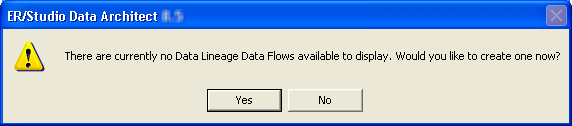
- Click Yes.
- If this is not the first time you click the Data Lineage tab after opening a diagram, from the Data Lineage Explorer, right-click the Data Flows node and then click Create Data Flow.
- If you would like to keep your version of
GIMDB.DM1unchanged, 'save as' a different filename before proceeding past the Undo/Redo warning dialog.
- Enter a data lineage data flow name and then click OK.
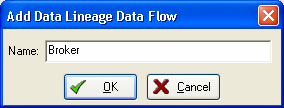
 Note: The name that appears in the diagram title tab at the top of the application window is appended with: data flow name, when you click a task in the Data Lineage explorer, such as GIMDB.DM1 - Data Flow Model View: Broker*.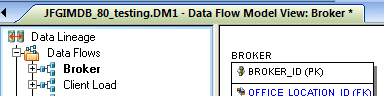


The Data Flow is created.
