Navigator Options
Go Up to Editor Options
Tools > Options > Editor > Navigator
As of RAD Studio 13.2, the Editor features the Navigator plugin.
Minimap
Tools > Options > Editor > Navigator and click the Minimap tab.
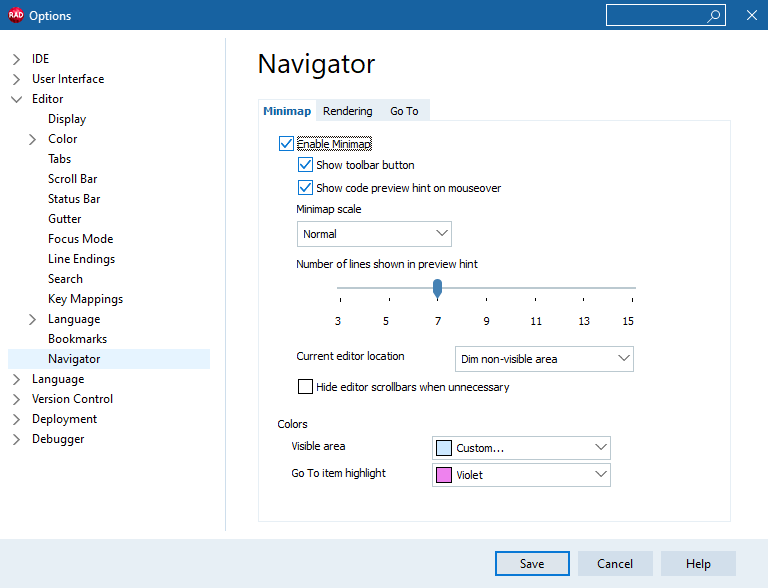
Minimap provides a visual preview of the current module, displayed alongside the code editor. It allows developers to quickly understand the structure of a file and navigate through it efficiently.
When the Enable Minimap box is checked, the Navigator displays a minimap of the source code in the editor with the following options:
| Item | Description | ||||||||||
|---|---|---|---|---|---|---|---|---|---|---|---|
|
Show toolbar button |
Displays a toolbar button for the minimap. | ||||||||||
|
Show code preview hint on mouseover |
Displays a code preview tooltip when hovering over the minimap. | ||||||||||
|
Minimap scale |
Specifies the zoom level used by the minimap.
| ||||||||||
|
Number of lines shown in preview hint |
Specifies the number of source lines displayed in the code preview tooltip. You can select a value from 3 to 15. The default value is 7. | ||||||||||
|
Current editor location |
Determines how the current editor viewport is represented in the minimap.
| ||||||||||
|
Hide editor scrollbars when unnecessary |
Hides editor scrollbars when the entire document is visible. | ||||||||||
|
Colors |
Specifies the colors used by the minimap.
|
Rendering
Tools > Options > Editor > Navigator and click the Rendering tab.
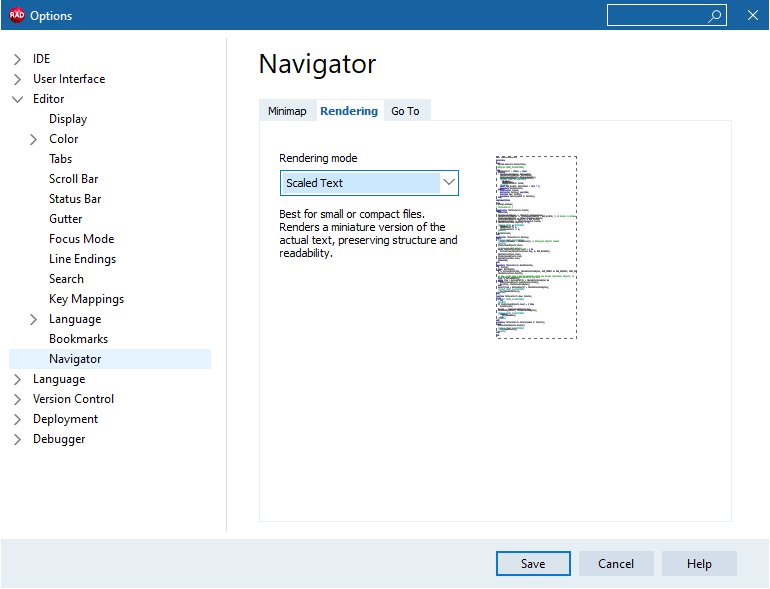
| Item | Description | ||||||
|---|---|---|---|---|---|---|---|
|
Rendering mode |
Specifies how the minimap is rendered.
|
Go To
Tools > Options > Editor > Navigator and click the Go To tab.
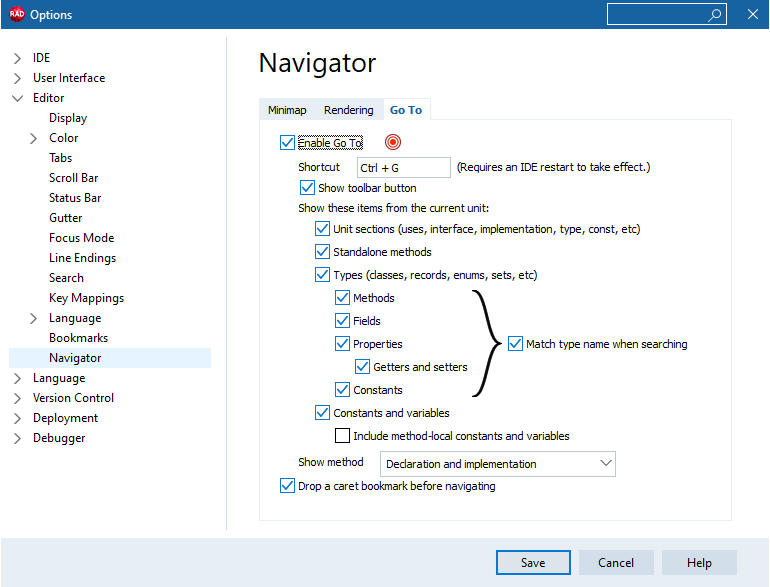
Go To is a fast navigation dialog that allows developers to quickly access units, types, methods, and other symbols in the codebase. It includes real-time filtering and full Minimap integration.
When the Enable Go To box is checked, the Navigator displays the Go To functionality with the following options:
| Item | Description | ||||||||||||||||||||||
|---|---|---|---|---|---|---|---|---|---|---|---|---|---|---|---|---|---|---|---|---|---|---|---|
|
Shortcut |
Specifies the keyboard shortcut used to invoke Go To. Changes require an IDE restart to take effect. | ||||||||||||||||||||||
|
Show toolbar button |
Displays a toolbar button for Go To functionality. | ||||||||||||||||||||||
|
Show these items from the current unit |
Specifies which code elements are displayed in the Go To list.
| ||||||||||||||||||||||
|
Show method |
Specifies which method definitions are displayed in the Go To list.
| ||||||||||||||||||||||
|
Drop a caret bookmark before navigating |
Creates a caret bookmark before navigating to the selected location. |